Posts

The WhatsApp feature you’ve been waiting for (Android apk)

Image
  The WhatsApp feature you’ve been dying for is finally here if you use Android Wireless carriers have one more reason to hate WhatsApp, as Facebook’s popular messaging platform is about to get even better… and more potentially threatening to their bottom lines.   The WhatsApp Call feature brings unlimited voice calling to users with an Android device and the app update can be downloaded directly from the company’s website, in case it’s not already available via the Google Play Store. Rolled out for testing a few weeks ago, the feature was available to any WhatsApp user who either received an invite for it or a call from someone with access to it. In order for WhatsApp Call to work you obviously need Internet access on your mobile device. The company also recommends an unlimited data plan if you can’t stick to Wi-Fi. Furthermore, WhatsApp says the feature will work on any smartphone running at least Android 2.1, but tablets aren’t supported a...


Top 5 Things To Do Before Installing a Custom ROM

Image
Rooting and installing custom ROM offer many advantages indeed but, at the same time it can be a risky as it can cause serious problems to your phone and possibly even brick it. People brick their phone because they don’t take precautions when installing a custom ROM on their device. If you understand things and go through it carefully, you’ll never be caught into the uncomfortable situation. Here are some important things to be taken into consideration before rooting or installing any custom ROM. Backup your Apps, Contacts, etc. The first thing that you should do before installing a custom ROM is to backup your applications , data , contacts, messages, etc. By backing up your phone, you won’t lose your important data when something happen during the procedure.   Ensure decent battery level It is very important to check the battery level before installing a custom ROM or rooting an android device. Because, if your device turned off in the middle of the procedure...

The risks of rooting your Android phone

Image
The risks of rooting your Android phone You’ve got your smartphone. It’s new, shiny and neat. You can go online from it while you’re out and about and download cool apps to keep you company whenever you get bored. But can you download any app you want? What about custom themes? And did you ever feel like altering or replacing system applications and settings on your phone because they’re not so user friendly? Well, the thing is you can’t do whatever you want with your smartphone. For security reasons, phone manufacturers and mobile network operators impose software limitations. However, these limitations can be overruled by rooting your Android phone, although it is not advisable. Especially if you don’t have antivirus for Android installed, to protect you from mobile malware.  A lot of people are talking about the freedom rooting your phone gives you, without necessarily stressing the risks you face by doing so. Here’s a brief overview of the advantages an...

CShare 1.1.5 APK for Android

Image
CShare is a one of the best applications for sharing all kinds of documents in your mobile phone. WIFI directly, without any cellphone traffic. Enables you to Transfer applications, videos, music and pictures between phones. File sharing is Free-of-cost .Share everything with your mobile phone. 10x faster than 3G and 30x faster than Bluetooth.    Cshare Best for sending large files Main Features:   - AMAZING TRANSFER SPEED BY WIFI CONNECTION: using WIFI function your phone can connect every devices   -ALL KIND OF DOCUMENTS INCLUDED: music, ringtones, pictures, photos, wallpapers, videos and files-like word, excel, power point, text, APK,   -EASILY SHARE APPS AND GAMES: apk files of applications& games &widgets  -FRIENDLY UI DESIGN FOR ALL USERS: easy way to use, share and receive   -JUST NEED ONE CLICK TO IDENTIFY EQUIPMENT: android devices quickly connect with each other, efficient and easily   -TOTA...

How To Calibrate Android's Battery

Image
Calibrate Android Battery Battery problems are one of the biggest concerns for smartphone users, which is why we offer many useful tips and tricks to solve battery drain problems. If you notice that your battery performance and duration has decreased, it could be time to consider calibrating your battery. If your battery isn't exchangeable like the Nexus 5 or easily removable like the Galaxy Note 4, we will explain how to calibrate the battery of your Android and what it actually does. If battery starts slowing down and acting up, you should calibrate your battery. How do I know if my battery is the problem? First of all, if you have had problems with the performance of your battery, If you notice that the performance continues to decline, then it’s time to try to calibrate the battery. One of the most obvious signs that it’s time is when your mobile battery drains quickly or the device won’t charge. These symptoms can sometimes be attributed to apps or runaway processes ...

Lumia Software Recovery Tool For Lumia & Windows Based Phones

Image
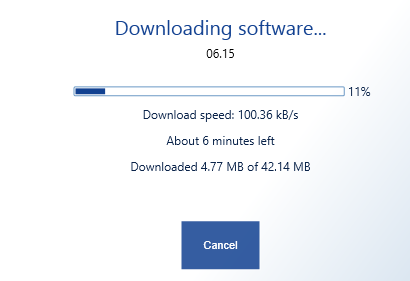
Is your Microsoft/Nokia Lumia or Asha phone giving you a problem? Or is it not booting up at all? If you are facing a similar issue with your Nokia/Lumia mobile phone, you can easily get rid of it using the Lumia Software Recovery Tool. Unlike other manufacturers who hardly offer consumer centric tools, Nokia  has always made one or the other tool available to make the customers capable of fixing software issues of their phones at home. Download Lumia Software Recovery Tool >>> Download Here <<< Using Lumia Software Recovery Tool The software is pretty easy to use and any computer literate person can use it without any problem. Still, the following section provides step-by-step instructions on using the Nokia Software Recovery Tool to reinstall the software/firmware of a buggy phone or wake up a dead/non-responsive phone (because of software issues). Reinstall or Update Phone Software 1 Download the Lumia Software Recovery Tool from the link provided earl...

How to Root QMobile Noir i10 & CWM Recovery

Image
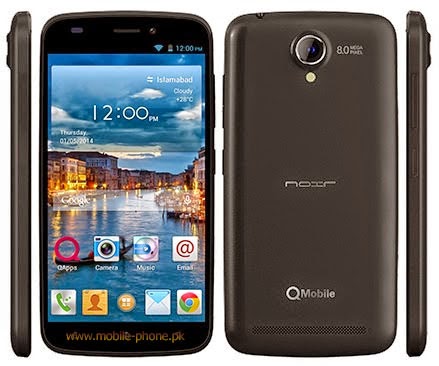
Today we'll root Qmobile Noir i10 and also we'll flash CWM recovery to make this android phone more powerfull and kindly follow the instructions as mentioned in the post to avoid any problems :D Ok lets Root this Beast :) -First download this .zip file which contain all the important things you need in this rooting + Flashing recovery procedure. Download Here -Enable Usb Debugging -Download and install android adb drivers from here -Download Sp Flash Tools From here (From XDA) -Now turn off your phone wait for 10 seconds after power off -Now connect it to pc & open SP Flash Tools -Then Click on Scatter-Loading & choose the scatter .txt where you extracted the .zip file  CATION!!!: Only Mark Recovery.img Unmark Preloader+ Mbr + EBR1 + UBOOT +SEC_RO ETC only choose recovery.img   now copy SUPER SU UPDATE.ZIP to Sd card And reboot phone into recovery mode by pressing Power Button+Volume Down now you are in CWM Recovery there choose 2nd ...