Posts

Showing posts with the label root nokia xl

How to disable bloatware apps without root

Image
  Disable bloatware apps without root You don't need to fully delete bloatware apps to get some peace of mind -- you can disable them and  even stop them from popping notifications. This won't delete the actual application, but it'll be removed from your homescreen/app drawer, and we'll even show you how to free up some space in the process. Simply follow the simple steps outlined in the gallery below, and you're set.  A lot can be said about the toxicity of bloatware apps, but since this guide will be about how to get rid of them, we won't indulge in needless discussion. For those of you not in the know, 'bloatware' refers to all that extra stuff that's been pre-loaded on your device, before you even got to your neighborly carrier's outlet. These often come in considerable numbers, are sometimes downright irritating and take up space, and worst of all -- can't be removed by normal means. The situation is so bad, really, that countrie...
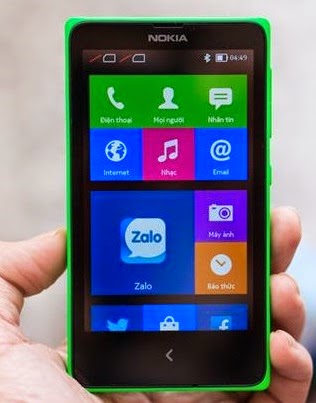
How to Root Nokia X and Nokia XL X_O

Image
Before rooting the Nokia X and Nokia XL you need to do following things: Download Nokia X Manager from  here (Note: Nokia X manager works only on Windows PC and requires DOT NET framework 4) Enable USB Debugging mode Launch device settings. Tap  Developer options  in the  System  section. Switch on developer options and tap  OK  in the query dialog shown. Enable  USB debugging  in the  Debugging  section and tap  OK  in the query dialog shown. Update(or install) Nokia X USB drivers, Download it from  here . Goto desktop on PC Right click on computer and click manage Select Device manager In the list, Nokia X will be listed with a Question mark icon. Right click and select  update driver , then select  Browse my computer for driver option. Now select the path of above extracted folder, in the folder select driver file. Now drivers are updated. Steps for Rooting Nokia X and Nokia X...